
le DFrobot a une qualité irréprochable, c net comme de la carte informatique même le HP

10528 réponses à ce sujet
#2881

Serveurperso
-

- Membres
-

- 3 428 messages
Pilier du forum
- Gender:Male
- Location:Paris
- Interests:Systèmes/Réseaux/Dev/Hardware/RF/Optique/Lasers...
Posté 04 juin 2020 - 03:43
Make your own raspberry robot, control it over the internet in FPV mode with super low latency and securely share access on it to your friends with Vigibot.com! You are welcome to test our robots now!
https://www.vigibot.com(100% free, no ads)
#2883
Serveurperso
-
- Membres
-
- 3 428 messages
Pilier du forum
- Gender:Male
- Location:Paris
- Interests:Systèmes/Réseaux/Dev/Hardware/RF/Optique/Lasers...
Posté 04 juin 2020 - 03:43
mais avec un ampli classe D celui de jojo est très puissant déjà testé
savoir aussi les oreilles sur le côté de celui de jojo peuvent se casser facilement et ça laisse quasi aucune trace propre pour faire un boitier encore plus petit
je l'avais fait sur 5 robots a l'époque... oreilles de fixation cassée ça fait un petit rectangle
mais c un peux chinoisé comme qualité...
savoir aussi les oreilles sur le côté de celui de jojo peuvent se casser facilement et ça laisse quasi aucune trace propre pour faire un boitier encore plus petit
je l'avais fait sur 5 robots a l'époque... oreilles de fixation cassée ça fait un petit rectangle
mais c un peux chinoisé comme qualité...
Make your own raspberry robot, control it over the internet in FPV mode with super low latency and securely share access on it to your friends with Vigibot.com! You are welcome to test our robots now!
https://www.vigibot.com(100% free, no ads)
#2884
Mike118
-

- Administrateur
-
- 12 511 messages
Staff Robot Maker
- Gender:Male
- Location:Anglet
- Interests:Robotique, Entrepreneuriat, Innovation, Programmation, Résolution de problème, Recherche de solutions, Mécanique, Electronique, Créer, Concevoir
Posté 04 juin 2020 - 03:46
Astuce si ça te dérange pas de le faire ( pascal va criser je sens ) tu peux souder directement des fils sous la pi sur le prise jack 
Si mon commentaire vous a plus laissez nous un avis ! 
Nouveau sur Robot Maker ?
Jetez un oeil aux blogs, aux tutoriels, aux ouvrages, au robotscope aux articles, à la boutique et aux différents services disponible !
En attendant qu'une bibliothèque de fichiers 3D soit mise en place n'hésitez pas à demander si vous avez besoin du fichier 3D d'un des produits de la boutique... On l'a peut être !
Si vous souhaitez un robot pilotable par internet n'hésitez pas à visiter www.vigibot.com et à lire le sous forum dédié à vigibot!
#2885
Vinchator
-

- Membres
-
- 647 messages
Membre passionné
- Gender:Male
- Location:Swiss
- Interests:Bidouillage
Posté 04 juin 2020 - 03:46
@Mike118 quand je tape haut parleur sur la boutique je trouve rien c'est normal ?
C est un jack triple qu'il faut ? Je dois commander le bon embout si je veux pas souder
Y me faut un câble du style je suppose ?
#Aliexpress CHF 1.66 30%OFF | Raspberry Pi 2 1.5 M 3 M 5 M 10 M câble Audio Jack 3.5mm à 3.5mm câble Audio adaptateur mâle à mâle Cabo pour IPad
https://a.aliexpress.com/_dYx1imj
Apparemment c'est du jack 3.5mm mais je trouve que du 4 pôles et sur l'ampli y a 3 entrées....
C est un jack triple qu'il faut ? Je dois commander le bon embout si je veux pas souder
Y me faut un câble du style je suppose ?
#Aliexpress CHF 1.66 30%OFF | Raspberry Pi 2 1.5 M 3 M 5 M 10 M câble Audio Jack 3.5mm à 3.5mm câble Audio adaptateur mâle à mâle Cabo pour IPad
https://a.aliexpress.com/_dYx1imj
Apparemment c'est du jack 3.5mm mais je trouve que du 4 pôles et sur l'ampli y a 3 entrées....
#2886
Serveurperso
-
- Membres
-
- 3 428 messages
Pilier du forum
- Gender:Male
- Location:Paris
- Interests:Systèmes/Réseaux/Dev/Hardware/RF/Optique/Lasers...
Posté 04 juin 2020 - 04:00
le 4 pôle s'adapte parfaitement au 3 pôles, t'as juste un contact qui fera la même chose que la masse
Make your own raspberry robot, control it over the internet in FPV mode with super low latency and securely share access on it to your friends with Vigibot.com! You are welcome to test our robots now!
https://www.vigibot.com(100% free, no ads)
#2888
Serveurperso
-
- Membres
-
- 3 428 messages
Pilier du forum
- Gender:Male
- Location:Paris
- Interests:Systèmes/Réseaux/Dev/Hardware/RF/Optique/Lasers...
Posté 04 juin 2020 - 04:01
TRRS vs TRS
Make your own raspberry robot, control it over the internet in FPV mode with super low latency and securely share access on it to your friends with Vigibot.com! You are welcome to test our robots now!
https://www.vigibot.com(100% free, no ads)
#2889
Serveurperso
-
- Membres
-
- 3 428 messages
Pilier du forum
- Gender:Male
- Location:Paris
- Interests:Systèmes/Réseaux/Dev/Hardware/RF/Optique/Lasers...
Posté 04 juin 2020 - 04:01
t'auras 1 ring à la masse
Make your own raspberry robot, control it over the internet in FPV mode with super low latency and securely share access on it to your friends with Vigibot.com! You are welcome to test our robots now!
https://www.vigibot.com(100% free, no ads)



#2896
Serveurperso
-
- Membres
-
- 3 428 messages
Pilier du forum
- Gender:Male
- Location:Paris
- Interests:Systèmes/Réseaux/Dev/Hardware/RF/Optique/Lasers...
Posté 05 juin 2020 - 06:47
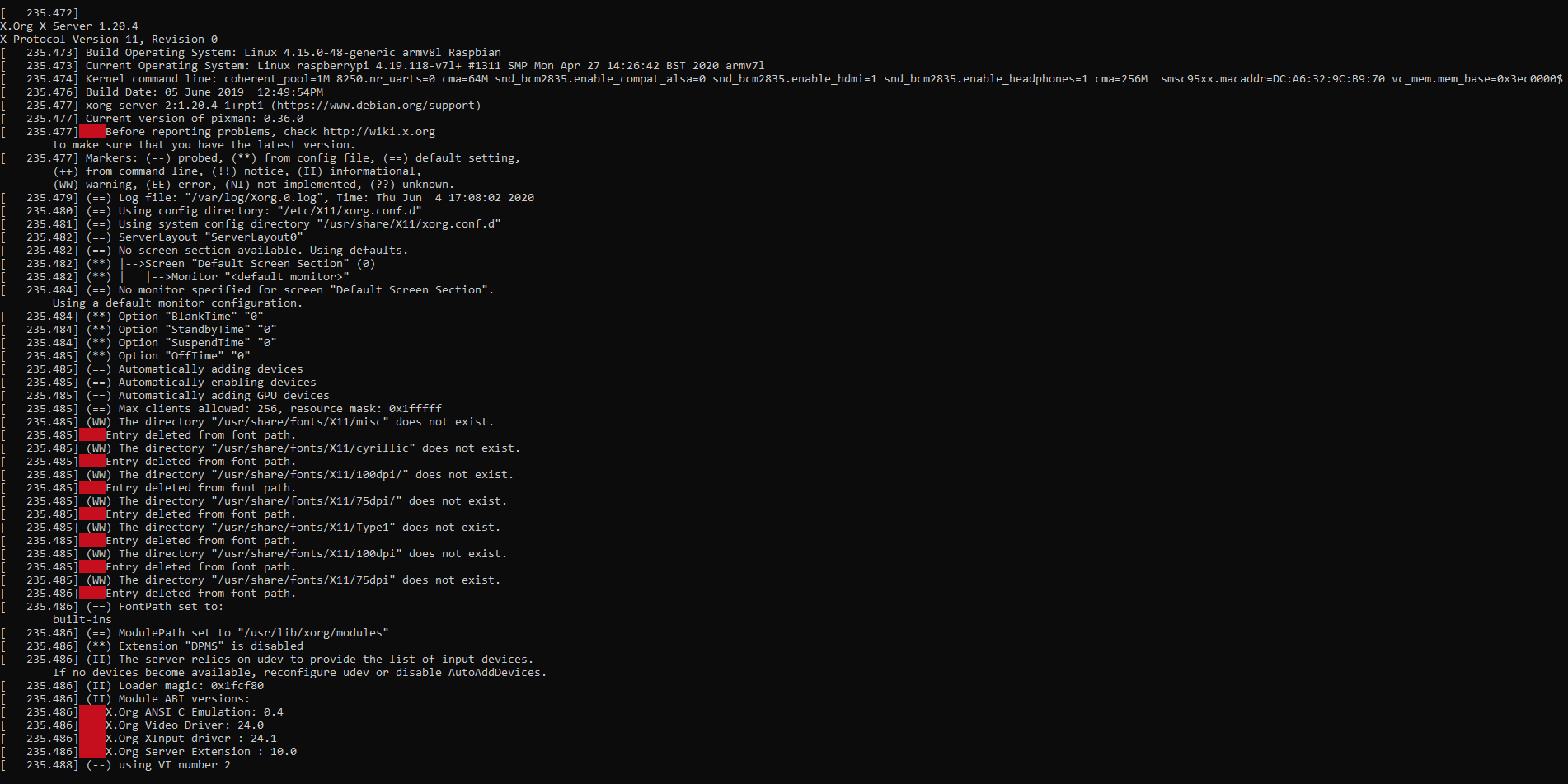
par défaut ça sort par la prise jack de la PI
alsamixer pour pousser le volume
alsactl store pour être certain que ce soit enregistré
Par défaut seul toi (le propriétaire) fera parler ton robot
alsamixer pour pousser le volume
alsactl store pour être certain que ce soit enregistré
Par défaut seul toi (le propriétaire) fera parler ton robot
Make your own raspberry robot, control it over the internet in FPV mode with super low latency and securely share access on it to your friends with Vigibot.com! You are welcome to test our robots now!
https://www.vigibot.com(100% free, no ads)
#2898
Serveurperso
-
- Membres
-
- 3 428 messages
Pilier du forum
- Gender:Male
- Location:Paris
- Interests:Systèmes/Réseaux/Dev/Hardware/RF/Optique/Lasers...
Posté 06 juin 2020 - 11:48
la synthèse vocale eSpeak est vraiment basique. j'aimerais retrouver le binaire pico2wave ARM
(plus distribué sous Raspbian)
(plus distribué sous Raspbian)
Make your own raspberry robot, control it over the internet in FPV mode with super low latency and securely share access on it to your friends with Vigibot.com! You are welcome to test our robots now!
https://www.vigibot.com(100% free, no ads)
#2899
firened
-

- Membres
-
- 1 784 messages
Membre chevronné
- Gender:Male
Posté 06 juin 2020 - 02:52
I've got a problem with icecream where the robot goes offline every couple days.
the robot is at a relatives place, i tell them to powercycle everytime it happens. it then works again for a day or two. i do not have physical access myself.
it has happened 6 times by now.
if someone can help me or has ideas of what i could try I'd be grateful.
what i figured out so far:
the pi continues running, it's not a crash.
when i check /var/log/syslog after a powercycle, it says that the IP address record got withdrawn. this causes the pi to loose network connection.
the IP address withdrawal is only a symptom, not the root cause. i do not think it's a problem with vigibot, but maybe something related.
on the log screenshot:
1) vigiupdate.sh is being called every 5min
2) 2 seconds later, timedate service has 'started'
3) 30 seconds later, timedate 'suceeded'
this repeats every 5min except if the problem happens:
3) 30 seconds later, right before the 'success' of timedate, the log shows multiple 'stats' about something.
4) 15 seconds after the stats, the IP address gets withdrawn, and the pi will no longer answer to this IP address and looses all network.
5)autossh then fills the log because it lost connection and is trying to reconnect
it's a pi 4, connected to the internet with a 4G stick AND wlan.
i checked online, but did not find much yet. i disabled IPv6 but it had no change.
3 weeks ago, when the robot was here at my apartment, aftet it happened even connecting a LAN cable did not work. no replies at all.
next thing I'm trying is an apt-get dist-upgrade.
other ideas are appreciated!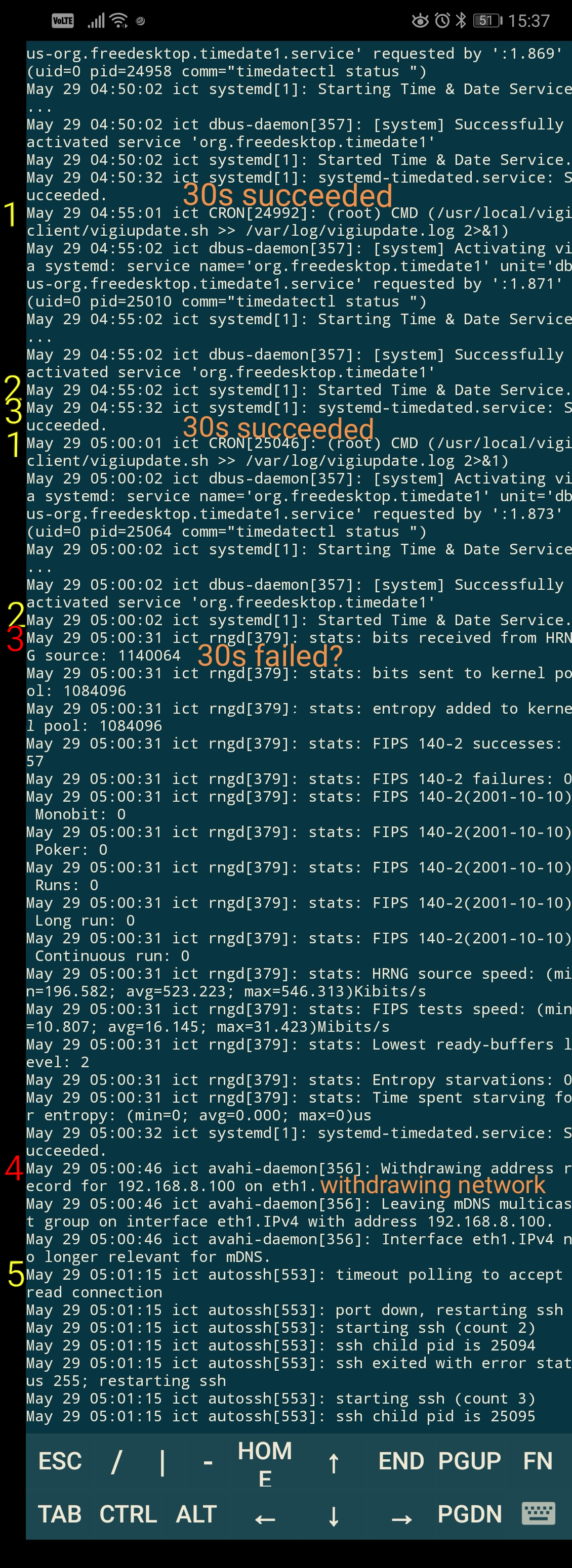
the robot is at a relatives place, i tell them to powercycle everytime it happens. it then works again for a day or two. i do not have physical access myself.
it has happened 6 times by now.
if someone can help me or has ideas of what i could try I'd be grateful.
what i figured out so far:
the pi continues running, it's not a crash.
when i check /var/log/syslog after a powercycle, it says that the IP address record got withdrawn. this causes the pi to loose network connection.
the IP address withdrawal is only a symptom, not the root cause. i do not think it's a problem with vigibot, but maybe something related.
on the log screenshot:
1) vigiupdate.sh is being called every 5min
2) 2 seconds later, timedate service has 'started'
3) 30 seconds later, timedate 'suceeded'
this repeats every 5min except if the problem happens:
3) 30 seconds later, right before the 'success' of timedate, the log shows multiple 'stats' about something.
4) 15 seconds after the stats, the IP address gets withdrawn, and the pi will no longer answer to this IP address and looses all network.
5)autossh then fills the log because it lost connection and is trying to reconnect
it's a pi 4, connected to the internet with a 4G stick AND wlan.
i checked online, but did not find much yet. i disabled IPv6 but it had no change.
3 weeks ago, when the robot was here at my apartment, aftet it happened even connecting a LAN cable did not work. no replies at all.
next thing I'm trying is an apt-get dist-upgrade.
other ideas are appreciated!
#2900
Serveurperso
-
- Membres
-
- 3 428 messages
Pilier du forum
- Gender:Male
- Location:Paris
- Interests:Systèmes/Réseaux/Dev/Hardware/RF/Optique/Lasers...
Posté 06 juin 2020 - 03:16
apt update before upgrade before dist-upgrade
Make your own raspberry robot, control it over the internet in FPV mode with super low latency and securely share access on it to your friends with Vigibot.com! You are welcome to test our robots now!
https://www.vigibot.com(100% free, no ads)
Répondre à ce sujet


6 utilisateur(s) li(sen)t ce sujet
0 members, 6 guests, 0 anonymous users

